How Pet Product Brands Get Their Photos Ready for Chewy and Amazon
Getting listed on Chewy or Amazon is one thing. Getting people to actually click your product and buy it? That’s where most pet brands quietly struggle, and photos are almost always the reason why.
Walk through any pet category on Amazon and you’ll notice something fast. The brands winning the top spots aren’t necessarily selling better products. They’re showing better products. Their photos make you stop scrolling.
The competitor two rows down might have the exact same dog harness at a lower price, but their images look like they were taken in someone’s garage in 2017, and that’s exactly where they’ll stay.
So how do the brands that actually win on these platforms handle their photography? It’s not magic. It’s a process, and it’s more specific than most people expect.
Both Platforms Have Rules, and They’re Not Flexible
Before any brand even thinks about scheduling a shoot, they need to understand what Amazon and Chewy actually accept.
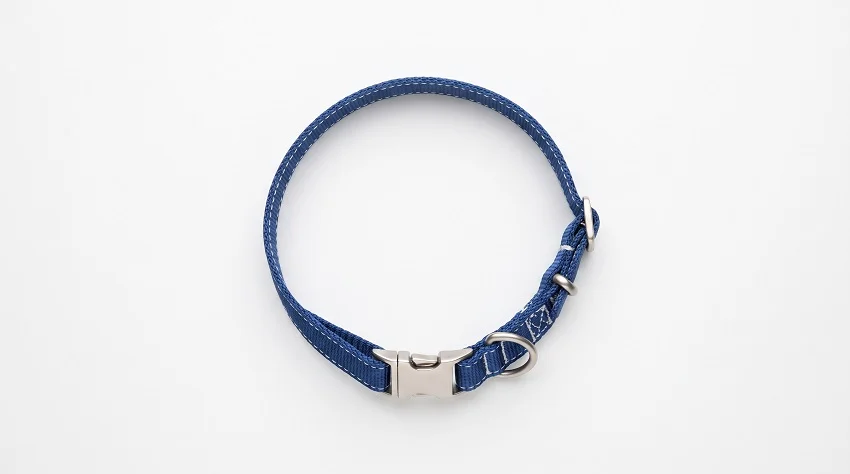
Amazon is rigid about this. The main product image, the one that appears in search results, needs a pure white background. Not off-white. Not light gray. Pure white, RGB 255/255/255. No lifestyle elements, no props, no text overlays.
Just the product. It also needs to fill at least 85% of the frame, which trips up a lot of small brands who upload photos with too much negative space around the product.
Minimum image size is 1,000 pixels on the longest side, but most experienced sellers shoot at 2,000 pixels or more. The reason is Amazon’s zoom feature. When a customer hovers over an image on the desktop, it zooms in. If your image is low resolution, it gets blurry. That one detail quietly kills conversions for brands that don’t know about it.
Chewy’s requirements follow a similar philosophy on the main image, clean white background, product clearly visible, no distractions. Where Chewy differs is in how they handle the process with brands.
They tend to give more direct feedback. If something’s wrong with your images, their team will usually tell you specifically what to fix rather than just rejecting the upload. That said, “more communicative” doesn’t mean “more lenient.” The standards are still high.
The Main Image Is the Price of Entry
Here’s what a lot of brands get wrong about the white background hero shot. They treat it as a formality. Take a quick product photo, drop it on a white background in Photoshop, upload it, done.
The problem is that shoppers see your main image at thumbnail size in search results before they ever click through. A product that looks cramped, dark, or oddly cropped at small sizes loses clicks to a competitor whose product is well-lit, properly sized, and immediately recognizable.
A pet bed squeezed into the corner of a frame doesn’t read well at thumbnail. A dog collar photographed with the packaging still half-visible is confusing. Small things like this matter more than brands realize because most of the decision to click or not click happens in under a second.
Good white background shots for pet products usually come from a proper lightbox setup or a professional product photographer. Consistent, even lighting eliminates harsh shadows. The color of the product needs to match the actual product.
A collar that’s burgundy in real life but shows up as bright red in the photo is going to generate returns, and returns generate bad reviews, and bad reviews tank rankings. The chain reaction starts with the photo.
Secondary Images Are Where You Actually Sell the Product
Once a customer clicks through to your listing, the secondary images take over. This is where most of the real selling happens, and it’s also where brands have a lot more creative freedom.
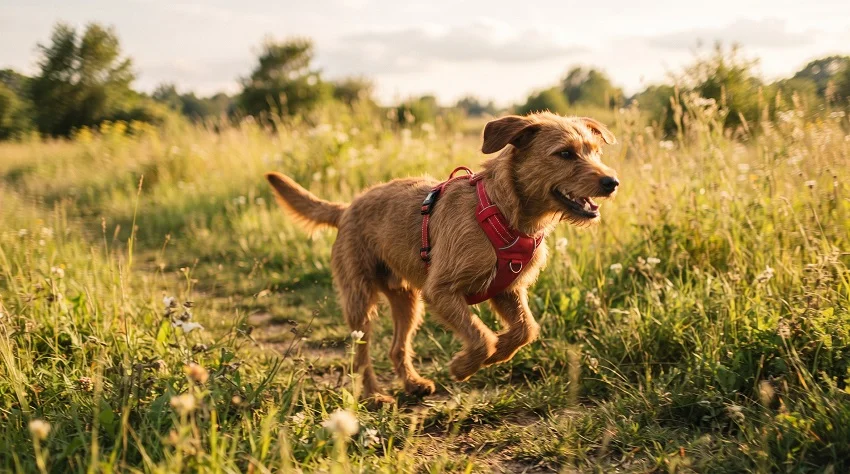
Lifestyle images showing the product in actual use are the standard. A dog running in a harness. A cat sleeping in the bed you’re selling. A puppy chewing on a toy. These images exist to answer the question that every pet owner is silently asking: “Will my animal actually use this?”
The brands that do this well don’t just grab a stock photo of a generic dog and call it done. Real shoots with real animals. Customers can spot a stock photo immediately, and it signals that the brand doesn’t have enough confidence in its own product to actually show it being used.
Getting good lifestyle photos with animals is genuinely hard. Animals don’t take direction. A dog that’s been in a car for an hour to get to a studio isn’t going to want to sit still and look photogenic.
Brands that have done this a few times know that you budget extra time, you work with photographers who have handled animals before, and you accept that maybe half your shots will be unusable. That’s not pessimism, that’s just what animal photography is like.
The infographic-style images are also worth mentioning. These are secondary images that mix a lifestyle or product photo with text and graphic elements pointing out specific features. An adjustable strap on a harness.
The waterproof liner in a dog bed. The BPA-free material in a chew toy. These images address objections before a customer even knows they have them. Done right, they can replace a paragraph of product description that nobody was going to read anyway.
Scale and Proportion Are Bigger Issues Than Most Brands Expect
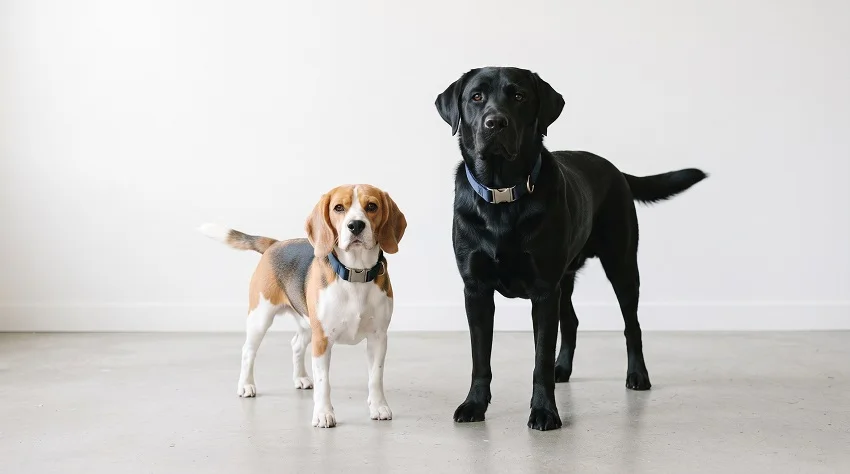
Pet products have a specific problem that, say, a phone case doesn’t: the same product needs to communicate its size clearly for animals of wildly different sizes.
A dog collar that works for a 15-pound beagle looks completely different on a 90-pound lab. A cat tree that looks enormous in a studio photo might look comically small once someone’s large cat actually climbs on it.
Size reference images have become standard for a reason. A photo that shows the product next to a recognizable size reference, or a graphic showing exact dimensions, prevents the kind of expectation mismatch that drives returns. Smart brands include at least one size chart image in every listing, especially for anything wearable.
This also matters for food and supplement products. A bag of dog food photographed in a way that makes it look like a 20-pound bag when it’s actually a 5-pound bag is going to confuse customers, and that confusion is expensive.
The Editing Process People Don’t Talk About Enough
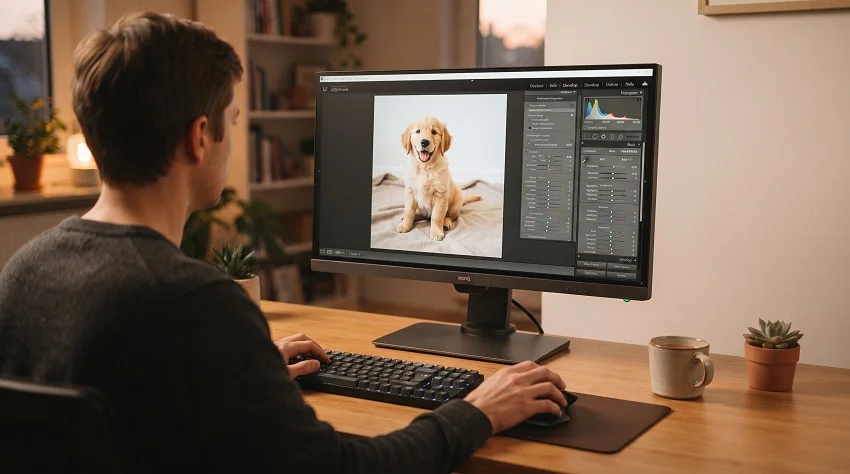
The gap between a good shoot and good product photos is editing, and it’s bigger than most brands budget for.
White background shots almost always need cleanup after the shoot. Camera backgrounds never come out pure white even in controlled conditions.
Shadows creep in. Products cast slight gray tones on the backdrop. Getting the background to true white requires masking, color correction, and careful attention so the product itself doesn’t get over-brightened in the process.
Color accuracy is the editing priority that brands learn the hard way. Pet product reviews are full of complaints that the color looked different online. Blues that photograph slightly purple.
Greens that shift yellow under certain lighting. Fixing this in post requires calibrated monitors and knowing your product’s actual color values. Brands that sell through multiple channels often create color profiles for their products specifically so editors can match against them.
For lifestyle images, editing is usually lighter, color correction and exposure balancing, but the infographic-style images require real design work. Adding text, icons, callout arrows, and graphic elements to a lifestyle photo without making it look cluttered takes more skill than it seems.
What Good Preparation Actually Looks Like Before a Shoot
The brands that waste the least time and money on photography are the ones who plan before they ever show up to a shoot.
That means mapping out every image type needed for each product in advance. A typical pet product listing might need a hero shot on white, two or three lifestyle images with the product in use, a close-up showing material or construction detail, a size reference or dimension graphic, and possibly a comparison image showing different size variants.
If you show up to a shoot without this list, you’ll inevitably miss something and have to book another session. If you’re shooting with an animal involved, a second session is expensive and logistically painful.
It also means knowing your platform specs cold before you go into post-production. Amazon and Chewy have slightly different requirements, and managing two separate sets of exported files for a large catalog gets complicated fast.
Most experienced e-commerce teams maintain high-resolution master files for every image and export formatted versions for each platform from those masters.
The last thing that separates organized brands from chaotic ones is the review process. Before anything gets uploaded, someone needs to check how the images look at thumbnail size on a phone screen.
Not on a large desktop monitor where everything looks fine. On a phone, in a search results grid, competing with six other products. If your image doesn’t pop at that size, it won’t perform.
A Few Patterns From Brands That Actually Get This Right
Pet brands that consistently perform well on both Amazon and Chewy share some habits.
They invest in photography the same way they invest in product development. Not as a cost to minimize, but as something that directly affects revenue. A few thousand dollars in a quality shoot pays for itself fast if it increases conversion rate by even a small percentage across thousands of product views.
They shoot more than they need. Coming out of a lifestyle session with 200 images and using 6 of them sounds wasteful until you realize those extras are there when you need to refresh your listing, test new image variations, or add content for social media.
They look at their own listings the way a stranger would. No context, no brand familiarity, no knowledge of how great the product actually is. Just a thumbnail in a search result. That’s the honest test.
And honestly, they’ve usually messed this up at least once before they got it right. A listing with blurry images. A size that looked wrong. A white background that came out gray. Getting burned a few times is usually what convinces a brand to actually take the photography process seriously.
The product might be perfect. The packaging might be beautiful. None of that matters if the photos don’t show it.